Feature Focus - Journals
Hello All, Noah here
Today I want to dive into one of the major features that will be available at launch - journals.
Journals
The whole idea of this app originally started as a journaling app. I realized I had so many memories of games that I played growing up. Memories of the games themselves, who I played them with, where I was. So journaling seemed like a natural start to focus on. There are other features in the app, but today we are going to focus on journaling.
There are 3 types of journals, Documents, Forms and Canvas. Forms are heavily under development right now so we’ll take a look at Documents and Canvas and we will talk through Forms at the end.
Document
Document journals are your classic journal, pen and paper essentially.
This is your place to write all about this game or that game, or that memory. Let’s see an example below.
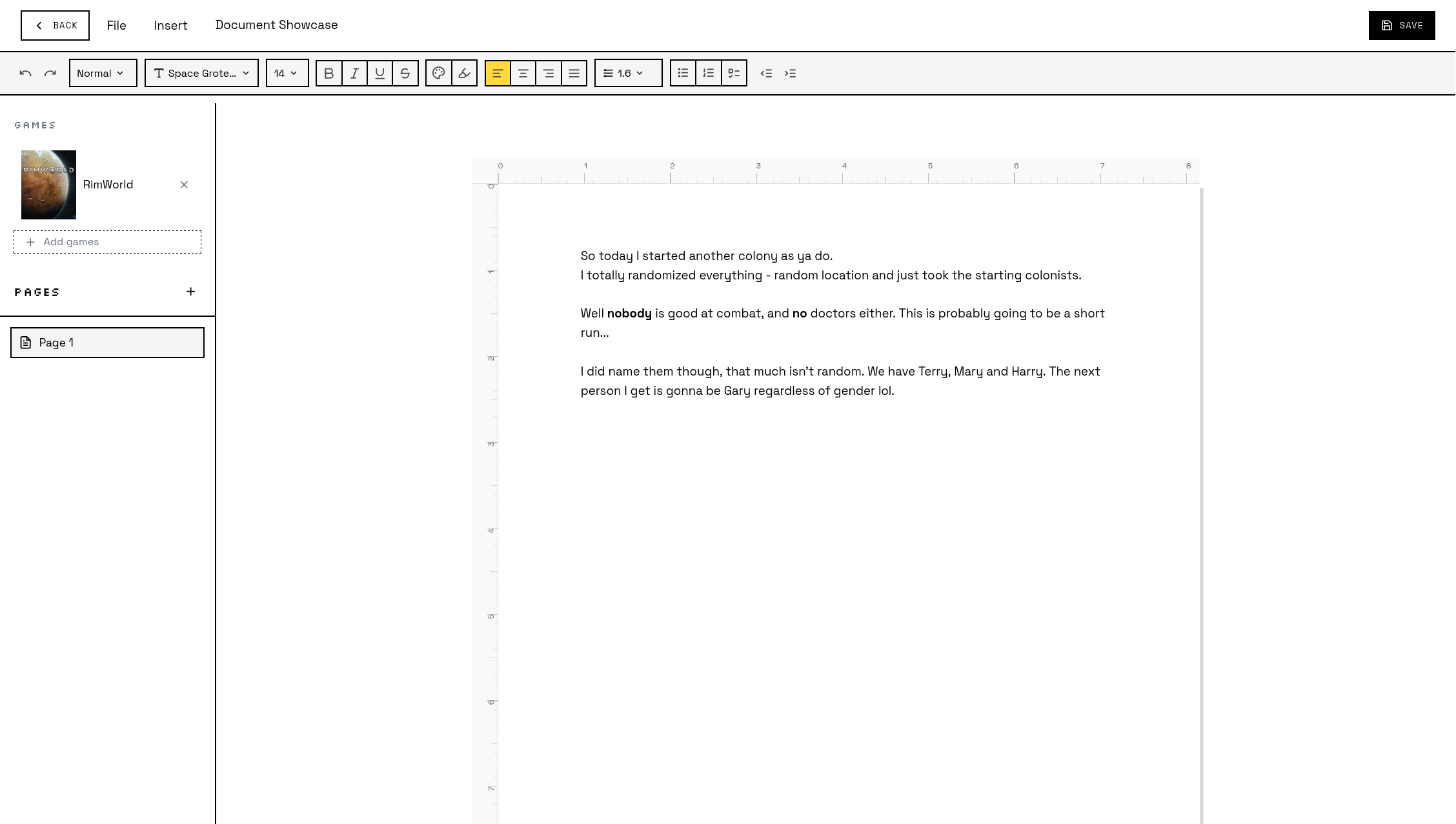
This is a work in progress and does not represent the final product
The Document editor for me is the place I come to when I have some thoughts or memories about a game. This is where they live. We can also associate journal entries to games so that we can find them easier later and read back through our adventures over time all in one place, making things easy to organize.
Canvas
The Canvas is an open ended, and creative space to have fun, build something and to share it. There’s a lot going on here with a lot of tools to explore. Take a look below.
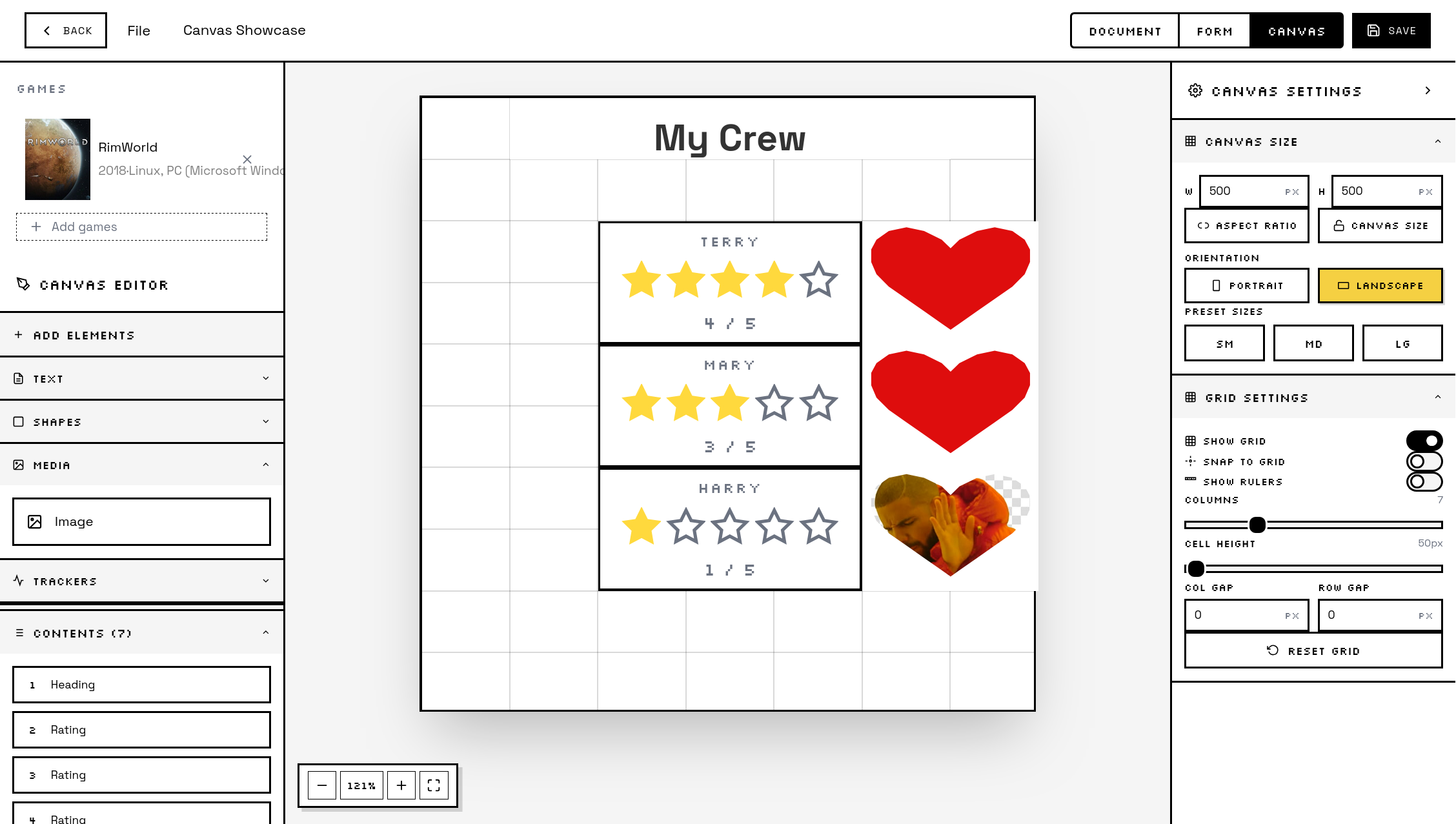
This is a work in progress and does not represent the final product.
The Canvas is a lot of fun, with a huge amount of flexibility. There’s a lot more that we can do that I didn’t show off and more to come.
Canvases are something I personally found myself enjoying as a way to make stuff without it feeling like I’m learning photoshop or something like that.
Eventually journal entries will be sharable between friends, and the general public so I am curious to see all of your creativity on full display.
Forms
The last journal type is Forms. Forms are going to be pretty handy and I think the type I’ll use the most. For all of the different types of journals, users can create and use templates so we don’t need to start from total scratch every time.
Forms can be used with our without a template, but essentially they are similar to google forms in that we can create form templates for ourselves or others to use later on. The way I would use them is prompted session feedback. So after a session or two, I would use a template with some pre written questions and answer them and write about what I did in that session.
Conclusion
Thanks all for reading, that wraps it up for this feature focus.
Stay tuned for more updates, and the launch later on in May.